Dear invey8 and LCB Team,
We have received information regarding the player's profile details. Upon additional check, we can see that the player is utilizing Trust Wallet.
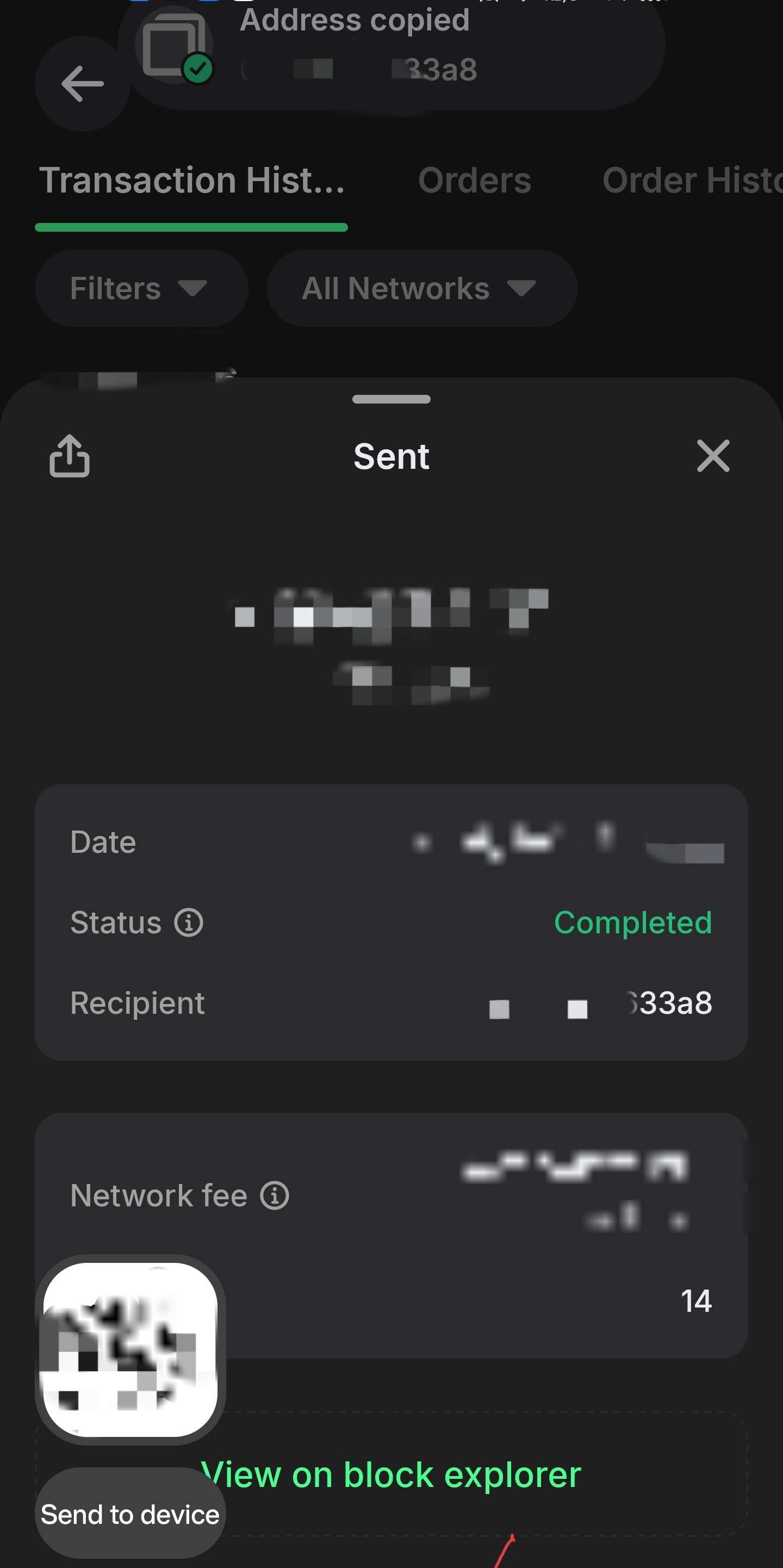
It, indeed, does not show the full wallet ID by default; however, it can be recorded using default features of multiple operating systems available. We attach an example of a floating window, configured on an Android device, showing the copied text as soon as it is copied, showing the address in full. We kindly ask the player to set it up and provide it in the same way, along with a recorded video, in order to show continuity between the in-app screenshot and explorer with full details, in case it would be needed additionally.
The clipboard floating window is a standard feature of Android, which is fully documented here: https://developer.android.com/develop/ui/views/touch-and-input/copy-paste. This feature was introduced in Android 13, starting to be deployed on phones from 2022 and above, which is why we are considering it standard for all modern devices. Conversely, such action can be performed on a Windows-based platform, using a click to copy and Win+V to display the clipboard, if the player uses a browser extension to access Trust Wallet. Documentation on this feature is available at Microsoft: https://support.microsoft.com/en-us/windows/apps/using-the-clipboard. We believe Mac UI has a similar feature, however, we are currently not able to provide precise details on how it works.
Respectfully,
Snatch Casino Representative.
Уважаемые команды invey8 и LCB!
Мы получили информацию о данных профиля игрока. После дополнительной проверки выяснилось, что игрок использует Trust Wallet.
Действительно, по умолчанию он не отображает полный идентификатор кошелька; однако его можно записать, используя стандартные функции нескольких доступных операционных систем. Мы прилагаем пример плавающего окна, настроенного на устройстве Android, которое отображает скопированный текст сразу после копирования, показывая полный адрес. Мы просим разработчика настроить его и предоставить таким же образом, вместе с записанным видео, чтобы продемонстрировать преемственность между скриншотом в приложении и обозревателем с полной информацией, если это потребуется дополнительно.
Плавающее окно буфера обмена — это стандартная функция Android, которая полностью описана здесь: https://developer.android.com/develop/ui/views/touch-and-input/copy-paste. Эта функция была представлена в Android 13 и начала внедряться на телефонах, выпущенных с 2022 года и позже, поэтому мы считаем её стандартной для всех современных устройств. В свою очередь, подобное действие можно выполнить на платформе Windows, используя щелчок для копирования и Win+V для отображения буфера обмена, если плеер использует расширение для браузера для доступа к Trust Wallet. Документация по этой функции доступна на сайте Microsoft: https://support.microsoft.com/en-us/windows/apps/using-the-clipboard . Мы полагаем, что в Mac UI есть аналогичная функция, однако в настоящее время мы не можем предоставить точные сведения о том, как она работает.
С уважением,
Представитель казино Snatch.



 Перевод